Difference between revisions of "EverHack Setup"
| Line 112: | Line 112: | ||
So far this is only working for spells with an actual casting time, which includes spell bar spells, potions, AA abilities etc. The source cannot be instant cast. A good method to use this is to have a instant cast item when you warp to pop you at a location, then you can quickly cast a spell to stop warping. | So far this is only working for spells with an actual casting time, which includes spell bar spells, potions, AA abilities etc. The source cannot be instant cast. A good method to use this is to have a instant cast item when you warp to pop you at a location, then you can quickly cast a spell to stop warping. | ||
| + | |||
| + | <img src="http://everquestbot.com/images/warpcasting.jpg "style="max-height: 100%; max-width: 100%;" /> | ||
Revision as of 18:00, 23 October 2021
Contents
Important Notes

This guide will teach you how to use EverHack for all EverQuest Live/Truebox Servers, Aradune, Coirnav, Phinigel, Agnarr, Thornblade, Mischief! EverHack will allow you to do things that the EverQuest client would prevent you from doing. Such as instantly zoning to any connecting zone, warping to any given location in the game, and even giving your character special abilities that would require items, or a spell to achieve!
Some of the things EverHack for TLP can do is:
- Teleport to any location in game.
- Change your characters movement speed, and run as fast as lightning!
- Predefined warp camp locations in particular zones such as Old Sebilis. (More to be added)
- Never get rooted, or snared.
- Permanently levitate your character even after zoning!
- Never get stunned or mezzed!
- Permanent Enduring Breath!
- No Gravity, you can fly anywhere in the zone and go as high as you like!
- Disable character sliding, and slipping floors in the game!
- No Falling damage, and carry as much as you like! Tired of being overweight and have to run to a merchant? You can now carry any amount!
- Permanent bard speed, always have the fastest selo's on your character at all times even after zoning!
- Change your character's jumping height.
- Change your title.
- Change your name.
- Run at fullspeed with fungi stick regen buff on, including Torpor.
- and much more!
Important Note: This guide is made/updated using the latest version of EverHack, check the forums for the updated build.
You can purchase EverHack here: PURCHASE
- Make sure you have the latest version of EverHack downloaded, new versions are always posted in your member section. Which you can access here: DOWNLOAD
First time Setup
First thing you will need to do after purchasing is create a Launcher Alias/Username. This will be used when you upload teleport locations, saving your settings etc. You can register a launcher ID here: REGISTER LAUNCHER ID
- After you have registered a launcher ID you will need to wait for access from an administrator. If you would like immediate access you can visit our discord, and request access. Our discord link is: DISCORD
- Sometimes your AV/Windows Defender will flag EverHack, this is a false positive as EverHack uses an open source obfuscation tool called Obfuscarwhich protects the code. You will need to allow EverHack as an exception in windows defender. Make sure you allow the folder, and not just EverHack.exe. To learn how to give EverHack, an exception in windows defender you can visit here: How to give an Exception.
- Once you have access download the latest build from your member section here: DOWNLOAD run EverHack.exe as an administrator (right click run as administrator). If you don't run as administrator, everything except runspeed will work. Runspeed requires administrator rights.

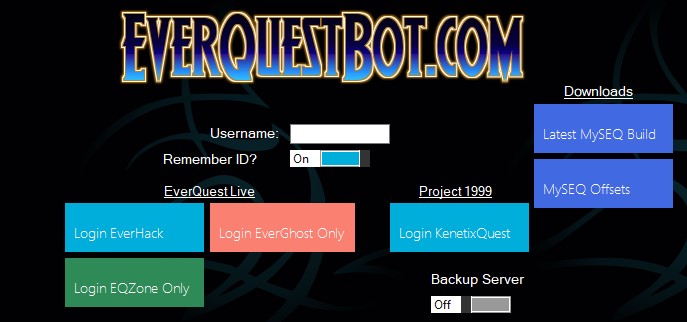
- After you have launched EverHack you will prompted to enter your Launcher ID. Go ahead, and then login to EverHack.
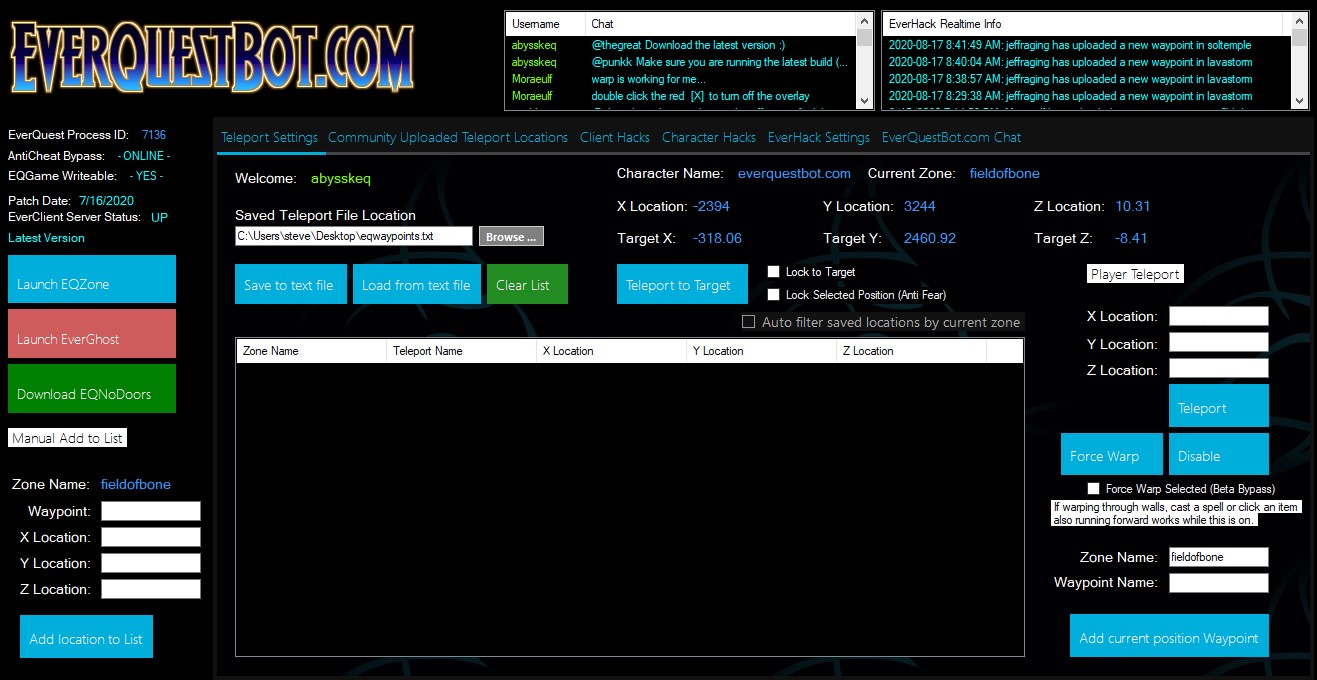
- Once you have logged in, you will have access to EverHack! Now the fun starts!
Ingame Overlay
This feature allows you to toggle on/off hacks right in EverQuest for uninterrupted gameplay! No need to tab to EverHack.

This is a new feature in version 3.1d
- Lock to Target
Simply Target a monster/npc or player, click once to warp directly to that enemy/player, and click again to Disable.
- Warp local list
This feature will allow you to quickly warp to a saved location that you have saved locally in EverHack. In EverHack click on Local Tab, highlight which saved warp you would like, and you can click the overlay to warp to it.
- Levitate Character
Clicking on this will immediately give your character permanent levitation! Even in zones which do not allow levitate. Uncheck to disable.
- Super Jump
This will allow your character to jump to extreme heights!
- Speed Toggles
This feature will allow you to change your movement speed to whatever you desire. This changes your ground speed, not your speed while levitating. If you wish to change your levitating speed go inside EverHack, and there are speed settings for levitate.
- Instant Evac
This feature allows you to instant zone out of the current zone that you are in. Only a few zones are coded in, I constantly add new ones every new update.
- Moving the Overlay
You can Move the overlay simply by holding down [M], and moving it to any place that you like on the screen. EverHack will autosave it there, and on your next launch it will reopen in that position.
- Closing the Ingame Overlay
You can close the overlay by selecting [X].
- Reopening the Overlay when it is closed ---
To reopen the Overlay after you have closed it go to EverHack Settings, and select Open Overlay.

How to Warp Using EverHack
Saving/Loading local Warp Coordinates
You can save/load Warp coordinates locally, and privately by creating a text file, and loading it with EverHack. Simply click on Browse, and select the text file you have created. You can quickly add locations by typing in a Waypoint name, and selecting Add current Position to Waypoint. It will automatically add all the information you need, such as zone name and coordinates etc. As well as autosaving it to your text file.

Warp Casting
Added in Dev build 1, v3.6c is the beta feature called Warp casting. EverHack will detect if your character is casting, or not currently casting. When this is enabled EverHack will keep watch and autostop warping when it detects you have entered a spell cast.
So far this is only working for spells with an actual casting time, which includes spell bar spells, potions, AA abilities etc. The source cannot be instant cast. A good method to use this is to have a instant cast item when you warp to pop you at a location, then you can quickly cast a spell to stop warping.

